

Best fit
Reagent rooms, lab consumables, medical materials, samples and controlled inventory.
Equipment detail
A smart cabinet route for chemical reagent check-in/out, inventory refresh, batch and expiry tracking, controlled access and project-side system output.

Start with the controlled-storage role, the inventory type and the delivery route before entering compliance review.
Reagent rooms, lab consumables, medical materials, samples and controlled inventory.

Bottles, boxes, vials, trays and high-value consumables with batch or expiry tracking.

Standard cabinet route or custom structure, shelf read zone, UI and API adaptation.

Keep reagent identity, batch and expiry tied to each storage and usage action.

Restrict who can open, take, return and review sensitive material operations.

Connect shelf presence and inventory records so stock differences can be surfaced early.

Move alerts, records and reports into a reviewable digital output for lab and medical teams.
This section should explain what the standard equipment product includes at cabinet, inventory, alert and interface level.
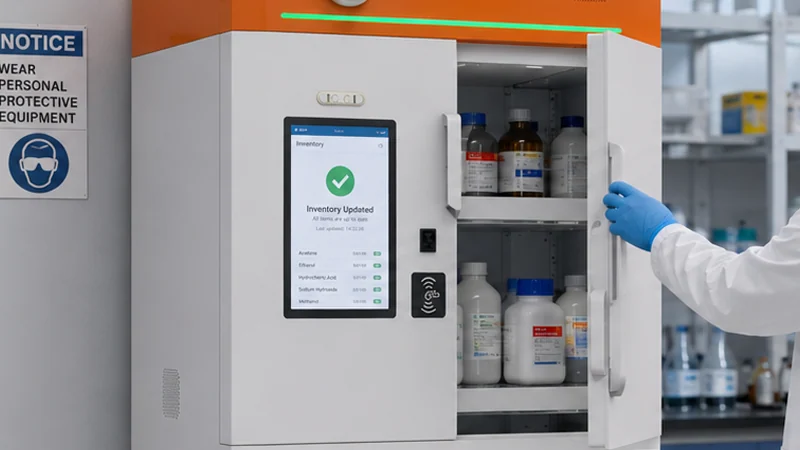
Cabinet structure, shelves or compartments, power route, service access and lock-ready enclosure.
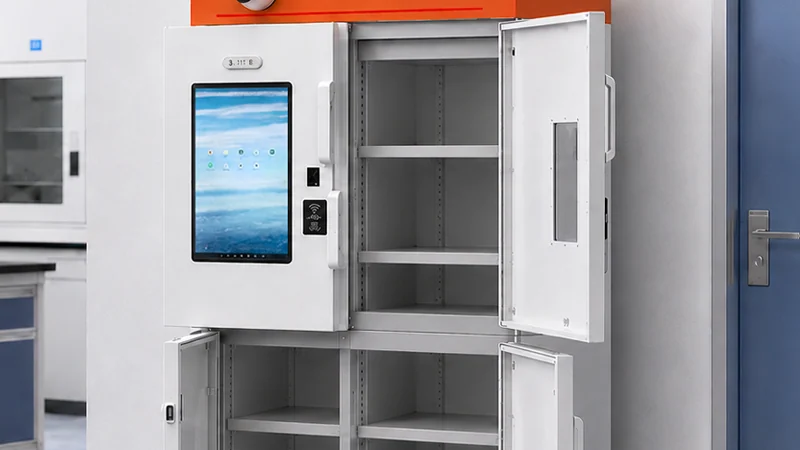
Shelf or cabinet read zone for item presence, movement, inventory comparison and audit logic.

Operator identity, access control, exception notification and local operation guidance.

Inventory, batch, expiry, usage and exception status prepared for reporting and system mapping.
Use this section to separate standard storage supply from project-based extension and compliance-driven customization.

Shelf zoning, compartment route, package-density planning and mixed-package storage adaptation.

Take, return, dispose, approval routing and exception-review logic by role.

Batch, expiry, report structure, export logic and LIS / HIS / ERP field mapping.

Cabinet dimensions, UI flow, lock route, labeling and compliance-related workflow adaptation.
Use one combined system section to explain both the software logic and the cabinet architecture behind controlled inventory.
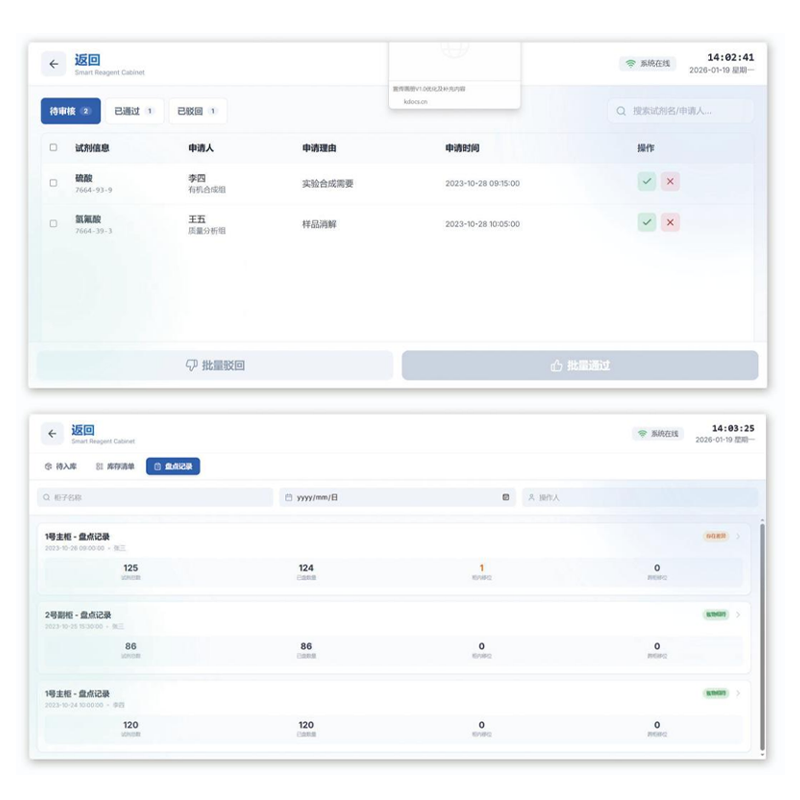
Show who can open, take, return or approve, with role logic and action visibility.
Keep one specification block for engineering review instead of splitting key categories and parameter tables into two separate sections.
Use working scenarios to show where the cabinet fits, rather than leaving the page as a generic controlled-storage description.

Support controlled issue, return and review of medical material in a restricted room.

Connect package recognition, batch tracking and audit history to lab operation.

Use rule-based access and alerts for valuable or compliance-sensitive inventory.

Prepare cabinet design, records and alert output for sensitive storage operations.
Use one bottom section to hold project downloads, common questions and the most useful adjacent routes.
Prepare package forms, storage density, workflow rules and data fields before review.
Review batch, expiry, inventory accuracy and exception workflow expectations.
Use this route when cabinet size, UI, approval flow or system model needs customization.
Next step
Use the equipment page to prepare project inputs, choose the next action, and move into engineering review.
Confirm whether the current cabinet route is enough, or whether layout and API review are still needed.
Confirm item list, cabinet constraints, workflow rules, and required output before quotation starts.
Move into brief submission, engineering review, or ODM discussion based on the project scope.